
Production Environment
Production Environment
Obtaining Production Credentials
In the Production environment, credentials (client_id, client_secret) are obtained by creating an API integration in Business Internet Banking .
During the registration process, the business client - company director or authorized person (must be an
admin user):
- Creates an API integration
- Enters the desired integration name
- Selects and links an active Business Internet Banking user
- Selects the relevant API permissions
- Confirms and receives the client_id and client_secret values.
client_id and client_secret are used to obtain an access token.
API Permissions
When registering an API integration, the client can activate one or both API permissions:
- Viewing transaction history and account statements - allows the client to receive account transaction history
and statements through the API. - Transaction initiation - allows the client to initiate transfers through the API.
API credentials must be linked to an active Business Internet Banking user of the business client. The linked user must also have the corresponding action permission in Business Internet Banking.
Registering API Integration in Business Internet Banking
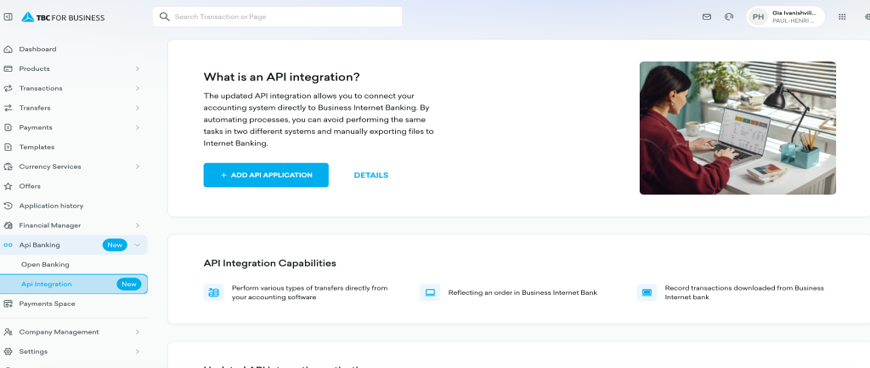
The process of obtaining production environment credentials in Business Internet Banking is shown below.
API Integration page
The business client enters the API Integration section and starts creating a new API integration. This is the initial step for obtaining credentials for the production environment in Business Internet Banking.
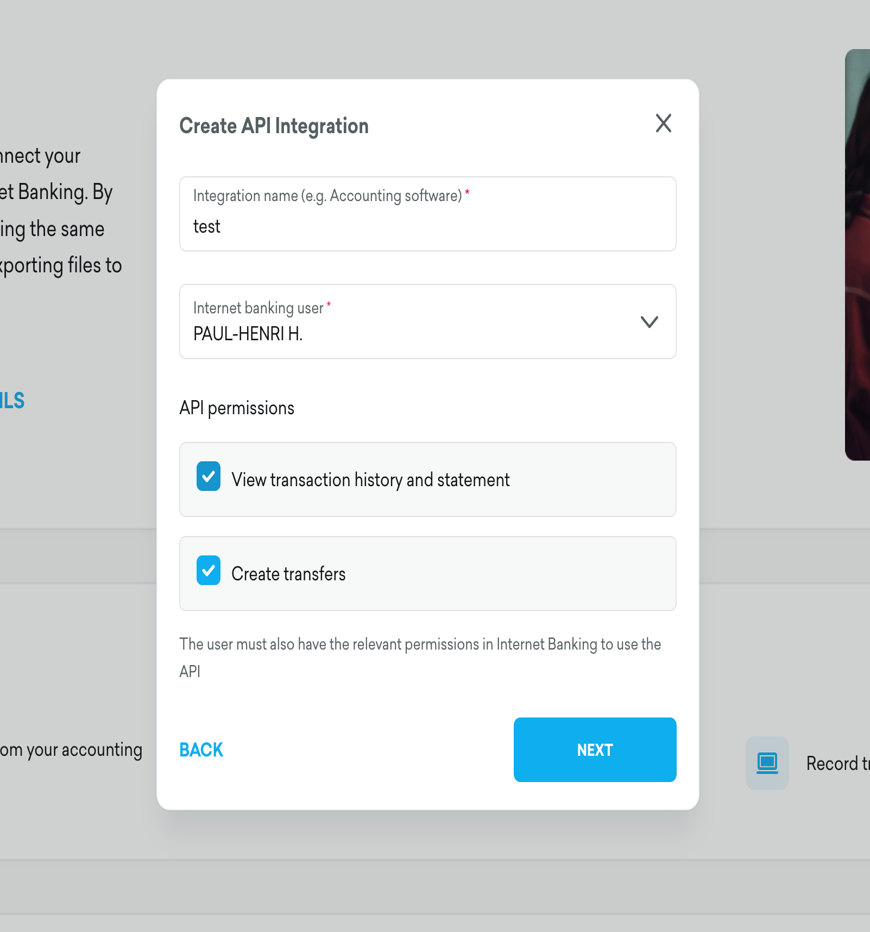
Create API Integration
In the form, the client specifies the integration name, selects an active Business Internet Banking user and selects the required API permissions.
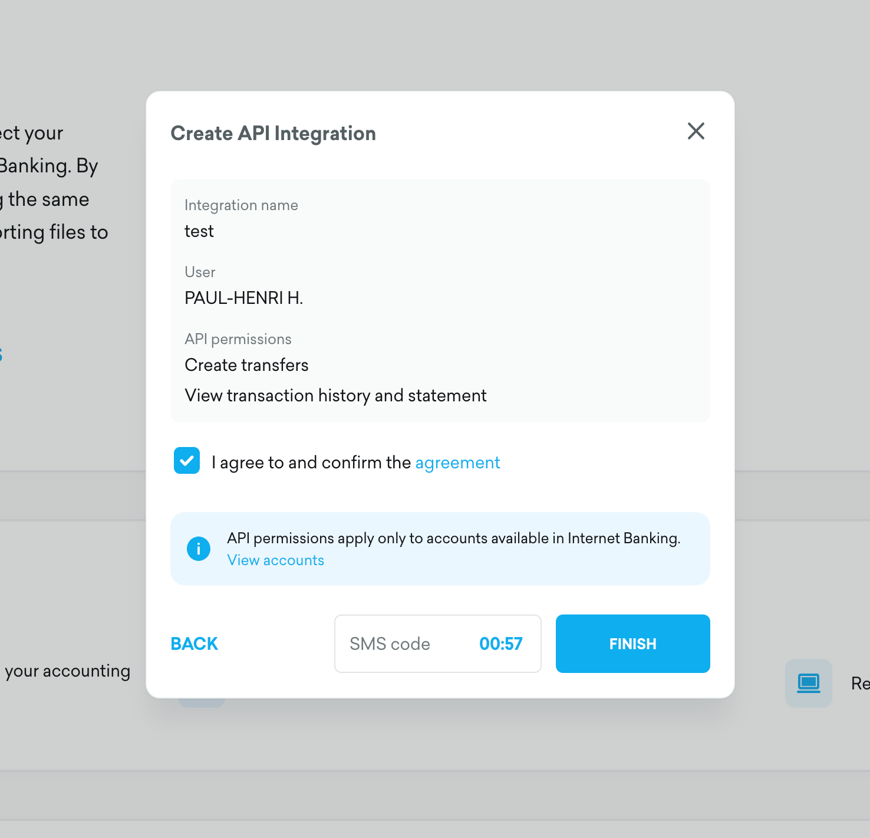
Confirmation with agreement and SMS code
At the confirmation step, the client reviews the selected data, agrees to the API terms and confirms the operation with an SMS code.
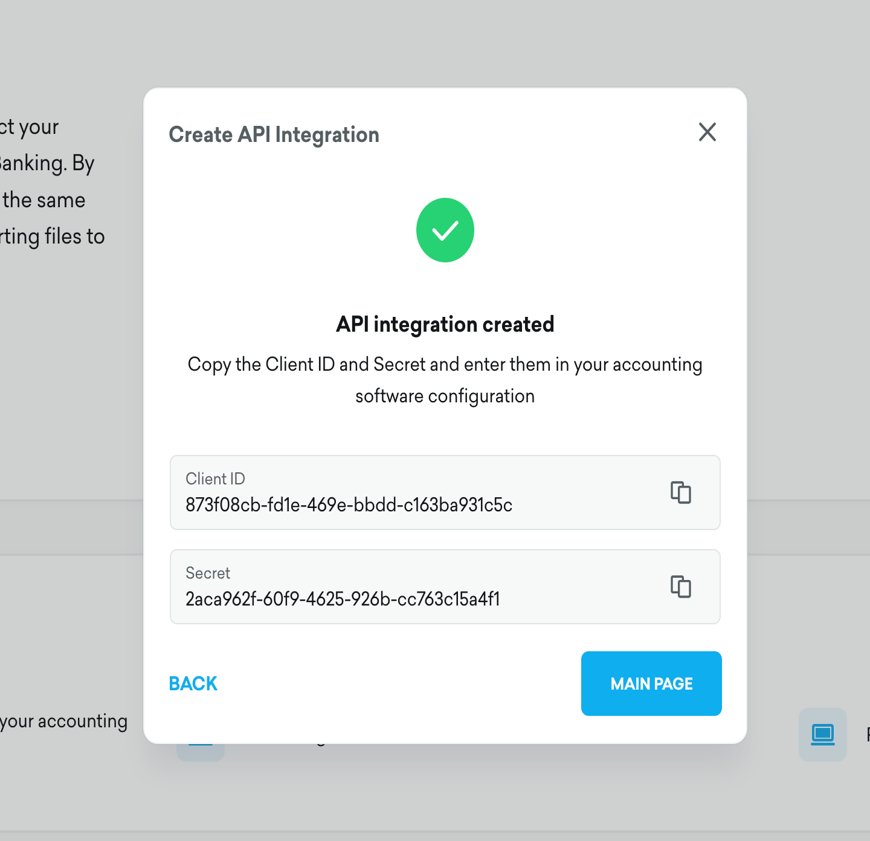
Client ID and Secret
After successful registration, the client receives the Client ID and Secret. These values must be entered in the ERP/accounting software configuration.
For security reasons, the Client ID and Secret must be stored confidentially.
If the admin selects another user as the integration user, only the selected user will be able to view and copy the Client ID and Secret on the API Integration page in Business Internet Banking.
Updated 3 months ago